

The first time I used an app-controlled toy, the least interesting part was the toy.
I was looking at battery percentages, permission prompts and a spinning connection icon. Then the screen dimmed. I unlocked it, lost the control panel and started tapping around again. The technology worked. The moment did not.
That small failure taught me something useful: an app-controlled sex toy is not better because it gives you more to do. It is better when the setup disappears quickly enough for you to pay attention to everything else.
The short version: Charge the toy, learn its physical stop control, install the correct app, connect from inside the app, and test one gentle pattern before the moment matters. If a partner will control it, agree on a pause signal and keep the wearer able to stop directly. Then put the phone down.
Start With the Experience, Not the Feature List
“App-controlled” can describe several different experiences. You might use the phone as a precise remote while you are alone. You might hand control to a partner on the other side of the bed. You might invite someone from another city. Or you might choose a music- or sound-responsive mode and let the rhythm do some of the work.
Those options are related, but they are not one giant mode you need to master. Before opening the app, decide what you actually want tonight. A finer intensity adjustment? A surprise from someone you trust? A little distance from the buttons on the toy? Pick one. The first session is not a product demonstration.
If you are still deciding whether a phone is the right control route at all, start with our guide to app-controlled versus body-led pleasure. This article assumes you have already chosen the app and want the first use to feel simple.
A Low-Friction First Session
1. Charge first, then learn how to stop
A half-charged device can create confusing connection problems. Charge the toy according to its own instructions before you troubleshoot anything else.
While it is still in your hand, find the physical power button. Turn the device on, change a setting and turn it off again without the phone. That is not merely a technical warm-up. It gives the person using the toy a direct exit if the app freezes, the connection drops or the sensation is simply not right.
2. Install the correct app and allow only what the feature needs
Use the official download links on the Magic Motion App page. Phone operating systems may ask for Bluetooth or nearby-device permission so a compatible product can be found. A sound-responsive feature may also require microphone access while it is being used.
Read the prompt instead of accepting everything on reflex. If you do not use a feature, you can leave its permission off and revisit it later. Keep the app updated; the FTC's guidance for connected devices also recommends disabling remote features you are not using.
3. Connect inside the app
Turn on Bluetooth, but do not treat the phone's system Bluetooth list as the pairing screen. For compatible Magic Motion products, open the Magic Motion App and add or connect the device there.
If it does not appear, keep the toy close, confirm it is charged and awake, and check the app's permissions. If the problem persists, use the detailed Magic Motion connection guide rather than repeatedly removing devices from the phone's settings.
4. Choose one pattern at a low intensity
The control screen is useful because it can make a precise adjustment without forcing you to cycle through every preset. It is also where curiosity can turn into menu fatigue.
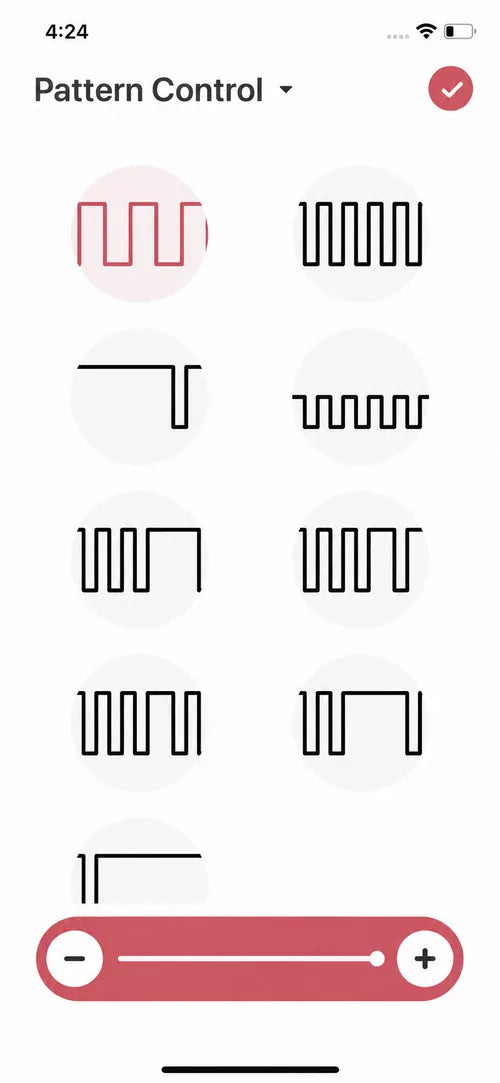
A screen earns its place when it makes one useful choice clearer. Interface details can change as the app is updated.
Start low, test briefly and make one change at a time. A more complicated pattern is not automatically more pleasurable. The point is to learn what the control does without making your body keep up with the interface.
5. Put the phone down
This is the step most setup guides forget.
Once the pattern feels right, place the phone where it will not slide away, lock unexpectedly or demand to be held. Turn off distracting notifications if that helps. Keep the physical stop control within easy reach.
The phone has now done its job. It can stay nearby without becoming the center of the scene.
If a Partner Takes Control
Shared control can feel playful in the same room or across distance. The important part is not how far the signal travels. It is how clearly permission travels with it.
Before connecting, agree on three things: when control begins, what “pause” means and how the session ends. A word is simplest. If voice contact might be unreliable, agree on a backup message or gesture. The wearer should still know how to stop the toy directly.
The controlling partner does not automatically need to own the same toy. The exact invitation and remote-control flow depends on the supported product and current app version, so follow the in-app steps rather than an old screenshot or a generic guide.

A two-minute preflight check
- The toy is charged and comfortable before remote control begins.
- The wearer can reach the physical stop control.
- Both people know the pause signal.
- The connection is tested at a low intensity.
- No one assumes silence means “keep going.”
What Happens When the Connection Drops?
A dropped connection is annoying, but it should not become a crisis. Stop, check in and use the toy's direct controls if you want to continue. Do not turn reconnection into a race.
If the app repeatedly loses the device, separate the technical problem from the intimate moment. End the session first. Later, check charge, permissions, app updates and the product-specific instructions. Good technology should make it easy to leave and return; it should not pressure you to finish troubleshooting in real time.
A Small Privacy Habit Goes a Long Way
An app-controlled toy is still a connected device. Use a phone lock, install updates, and avoid sharing invitation details where other people can access them. Revoke remote access when a shared session is over, and remove permissions for features you no longer use.
You do not need to become a cybersecurity specialist before using a vibrator. You do need the same ordinary habits you would use for any personal connected device: official downloads, current software, deliberate permissions and a clear idea of who has access.
The App Should Become Almost Boring
The best first session may be uneventful. The device connects. The control makes sense. You find one rhythm, set the phone aside and stop thinking about Bluetooth.
Later, you can try custom patterns, music or partner control. Add one new layer at a time. That is slower than opening every feature on the first night, but it is much faster at revealing which features belong in your life.
App control feels natural when it gives you a useful choice and then gets quiet. If you remember the sensation more clearly than the setup, the technology has finally done enough.
Frequently Asked Questions
Do all Magic Motion toys work with the app?
No. App functions require a compatible product. Check the exact product page and the current Magic Motion App information before buying or connecting.
Should I pair the toy in my phone's Bluetooth settings?
For compatible Magic Motion products, enable Bluetooth and connect the device from inside the Magic Motion App. Use the detailed connection guide if the device is not found.
Does a long-distance partner need the same toy?
Not automatically. One person uses the compatible toy and the other joins through the supported remote-control flow. Follow the current in-app invitation steps because interfaces can change.
Can I stop the toy if the app disconnects?
You should learn the toy's physical power and stop controls before starting. That direct route matters if the connection drops or you want to stop immediately.
How many app features should I try the first time?
One is enough. Connect, choose a simple local control or pattern, and see whether it improves the experience. Add partner, music or other modes in later sessions.
Start with the current app and compatibility path
Find official downloads, current features and compatible Magic Motion products in one place.