
The phone is glowing on the bedside table again.
Nothing is wrong. The toy is connected, the app is open, and the controls are doing exactly what they promised. But now there is a slider to watch and a screen to keep awake. The phone was supposed to disappear into the experience. Instead, it has become a third presence in the room.
That is not always a bad thing. A screen can give you precision, variety, and a way to share control with someone who is nowhere nearby. On another night, though, the same choices can feel like work.
The difference between app-controlled and body-led pleasure is not really a contest between two kinds of technology. It is a question of where your attention goes, who gets to act, and whether the controls know when to get out of the way.
The short version: Choose app control when the screen adds something you actually want—precision, custom patterns, music or sound response, or a partner joining from near or far. Choose body-led control when you want a compatible device to respond to a physical change without asking you to translate that feeling into a command. Neither is automatically more natural. The better one is the one you can use, pause, and forget about.
The Real Question Is Where Your Attention Goes
Connected toys are usually described through feature counts. Ten patterns. A custom curve. Music mode. Remote access. Video synchronization. It makes for a tidy product page. It tells you almost nothing about whether the experience will suit you on a particular night.
I keep coming back to a less glamorous question: What do I want to do with my attention?
You might want to make careful adjustments and notice the difference. You might want a partner to lead for a while. You might want a soundtrack to shape the pace. Or you might want the device to respond without asking you to translate a feeling into a command.
Control can enter the experience in at least six different ways. They are related, but they are not interchangeable.
Control Can Enter the Moment in More Than One Way
Sometimes a button is enough
A physical button is easy to underestimate. It does not need an account, a second device, or a stable connection. You press it, something changes. There is a lovely lack of ceremony to that.
This is often the right choice when you want a familiar routine, a quick start, or fewer decisions. Its limitation is equally simple: a small button may be less convenient once a wearable product is in place, and preset modes offer less fine control than a screen.
The screen is good at precision—and bad at disappearing
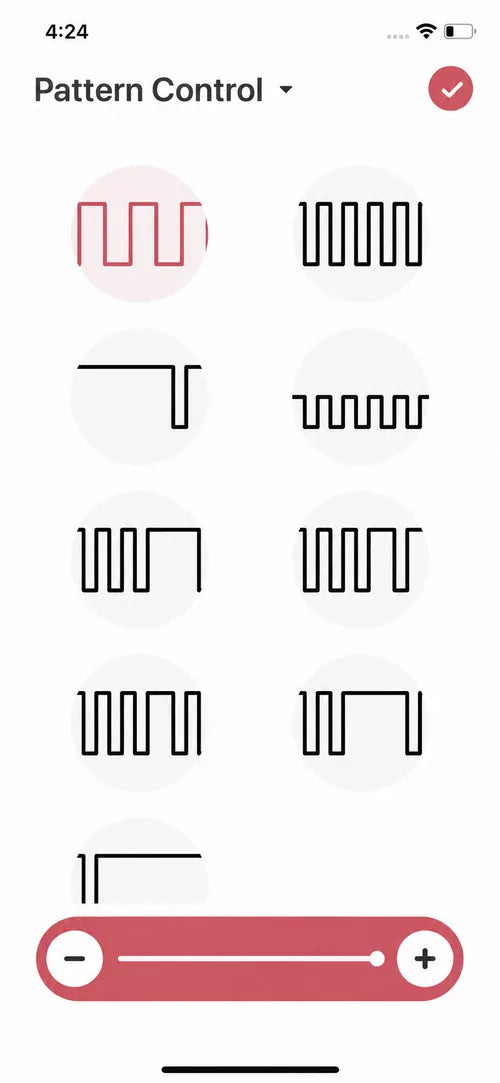
With local app control, your phone becomes a more expressive remote. The Magic Motion App can adjust modes and intensity, create patterns, and offer music or sound response for compatible products.
The advantage is choice. You can make a small adjustment instead of cycling through every preset. But choice has an attention cost. If you catch yourself judging settings instead of noticing sensations, choose a pattern, put the phone down, and let the app become plumbing. Useful, necessary, mostly unseen.
Letting someone else lead changes the meaning of control
Partner control changes more than distance. Even in the same room, handing someone else the controls can turn adjustment into communication: a question, a surprise, a response.
It works best when control is invited rather than assumed. Agree on what “pause” means. Keep a direct way for the wearer to stop. Decide whether you are improvising or following a plan. The connection does not create trust; it simply gives trust somewhere new to show up.
Music can make the decisions for a while
Music control is useful when you want change without constant decision-making. Rhythm becomes the input, so the experience can shift with a playlist rather than a finger moving a slider.
That does not mean every beat needs to produce a perfect physical translation. Sometimes music is simply a way to give the evening a beginning, a change of pace, and an ending. Our guide to music-controlled vibrators for solo play explains how to prepare a short playlist without turning it into homework.
Video Sync is a more directed kind of experience
Video Sync is another content-led route. Magic Motion currently offers this through SyncMo, a third-party software experience for supported devices and compatible content. It is not the same as an AI companion, and it is not ordinary partner control: the timing comes from the content and the synchronization system.
This route can suit someone who wants a more directed, screen-based experience. It also has more dependencies—software, compatible content, setup, and connection—than pressing a button. If that is the experience you are looking for, start with the current Video Sync setup path rather than assuming every connected toy or video will work automatically.

Body-led control turns response into input
Body-led control changes the sequence. Instead of deciding on a setting and then waiting for the body to react, a compatible sensing device can respond to a physical change that is already happening.
On Flamingo Max, for example, a gentle pelvic-floor squeeze can adjust vibration intensity without opening the app. The device is not reading emotion or understanding desire. It senses a change in pressure and responds. The narrowness of that claim is exactly what makes the idea interesting: the body is not only receiving an instruction. It is helping to write one.

If the idea is new to you, read what pelvic-floor squeeze control actually means. Body-led pleasure and Kegel training are related through the muscles involved, but they are different intentions and should not be treated as the same experience.
App-Controlled vs. Body-Led: A Practical Comparison
| Control route | What drives it | Attention needed | Best when | Main tradeoff |
|---|---|---|---|---|
| On-toy | Your hand | Low | You want a fast, familiar start | Less precise once the toy is in place |
| Local app | Your phone | Medium to high | You want fine adjustments or custom patterns | The screen can interrupt attention |
| Partner | Someone you invite | Low for the wearer after setup | You want shared control, near or far | Needs agreement and a clear stop route |
| Music/sound | Audio and rhythm | Low after setup | You want atmosphere and variation | The response may not match every musical moment |
| Video Sync | Compatible content | High during setup | You want a directed screen-based experience | More software and compatibility dependencies |
| Body-led | A sensed physical response | Low after positioning | You want the body to participate in control | Requires a compatible sensing product and comfortable fit |
You Are Not Choosing a Personality
People sometimes talk about control styles as if they reveal something permanent. You are either a manual person or a tech person. You want to lead or be led. You prefer precision or spontaneity.
Real life is less tidy. The same person may want local buttons on Tuesday, music on Friday, and partner control during a month apart. A body-led response can feel absorbing one night and unfamiliar the next. That is not inconsistency. It is the reason several control routes are useful.
If you want the least setup, use the device controls. If you want precision, open the app and put it aside once the rhythm feels right. If you want another person in the moment, invite them in and agree on how to pause. Music is there when you want atmosphere to make some of the decisions. Video Sync is for the nights when a screen is part of the point. Body-led control is for exploring what happens when the command begins with a physical response.
You are not choosing an identity. You are choosing how much technology the moment can comfortably hold.
The Best Connected Feature May Be a Graceful Exit
Technology is often judged by what it can begin. In intimate use, it should also be judged by how easily it can stop.
A good setup leaves control with the person using the device. That means testing the direct controls before handing over remote access, agreeing on a pause signal, and knowing how to end the app or content session before you need to. If the connection becomes distracting, the mode feels wrong, or someone simply changes their mind, stopping is not a failed session. It is the system working as it should.
This is also why “more connected” is not always better. Sometimes the most natural-feeling technology is the one you barely notice. Sometimes it is the one that lets another person surprise you. And sometimes it is the one you decide not to use tonight.
Try One New Layer, Not the Whole Menu
When a device offers several connected features, the natural temptation is to test everything. That usually produces a good demonstration and a fairly mediocre evening.
Learn the direct controls first. Then add one layer: the app, music, a partner, Video Sync, or body-led response. Notice whether it makes the experience easier to enter or gives you another task to manage. Keep the feature that eventually stops feeling like a feature.
Frequently Asked Questions
Do app-controlled vibrators require you to hold the phone?
Not necessarily. You may use the phone to connect and select a mode, then set it nearby. The exact behavior depends on the product, app feature, and connection, so learn the direct controls before relying on the app.
Does body-led control require an app?
Not always. Flamingo Max can use local squeeze-responsive control without opening an app. Other sensing products may work differently, so check the instructions for the exact model rather than treating “body-led” as a universal standard.
Is Video Sync the same as AI control?
No. Magic Motion Video Sync currently uses SyncMo to let supported devices respond to compatible content. That is a content-synchronization route, not a Magic Motion AI companion.
Is partner control only for long-distance couples?
No. A supported device can make shared control interesting in the same room as well as across distance. The important part is mutual agreement and keeping a simple way to pause or stop.
Which control style is best for beginners?
Usually the one with the fewest new variables. Start with the product's direct controls and a comfortable intensity. Add one app or responsive feature only after the basic fit and controls feel familiar.
Find the control style that fits the moment
Compare Magic Motion products by manual, app, body-led, wearable, connected, and other experience priorities.